

Put your business in front of people searching Saint Lucia.
Sponsored spots, booked by the day.
Sponsored spots on slistr.com: billboards on the home, category and district pages, the sidebar of listing pages like yours, and the tall side columns on computers. Choose your dates, write the message and follow every view and click.
 Search for restaurants
What are Slistr Ads?
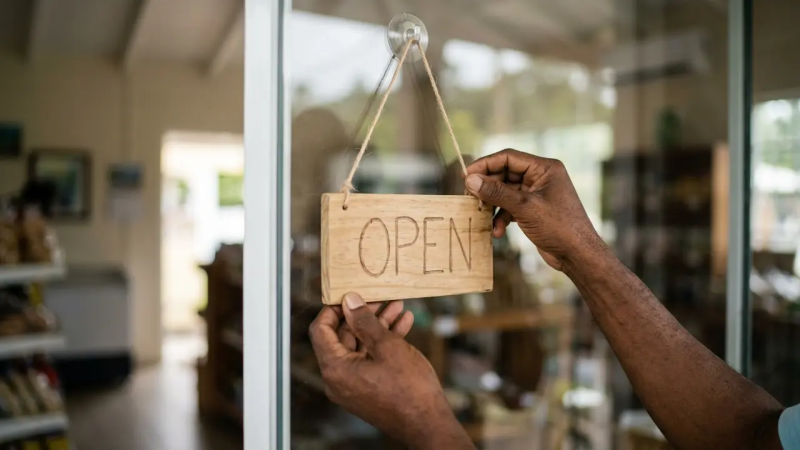
Slistr Ads are the sponsored spots across slistr.com. Each ad is built from a listing you manage on Slistr, carries a Sponsored label, and links straight back to your business: your listing page, your phone, WhatsApp, your website or directions.
Up to three businesses share a placement and take turns. You can see when a spot has space, book the dates you want, and pay a fixed daily rate in XCD through Slistr Pay, with PayPal or a debit or credit card.
When nobody has booked a spot, Slistr fills it with one of its own house banners, so every space on the site always looks finished. Your ad takes its place for the dates you book.
Why advertise on Slistr
{{ b.title }}
{{ b.body }}
Where your ad appears
Every ad space on slistr.com, {{ plTotals.all }} of them {{ plTotals.dev }}, across {{ plTotals.pages }} kinds of page. Pick a page, then a space.
Search for {{ plSrch }}The page carries on below with no more ad spaces.
The page carries on below with no more ad spaces.
Most visits are on phones. Billboards fill the screen width, so your ad is the only thing in view as people scroll past. Side columns are for computers. The four tall banners only show on computers and tablets. The listing sidebar moves down. On phones it sits right after the business details. Scroll inside the phone to see the whole page.
Create and manage your ad
Five steps in Ads Manager, using the listing you already run on Slistr.
Listing
When people tap your ad
Start
End
Ads work on any listing plan
Sponsored placements are sold separately from listing plans. Any claimed listing can advertise, including Free. Paid plans add ranking boosts that work alongside your ads.
{{ p.plan }}
{{ p.price }}{{ p.period }}
{{ p.adNote }}
For hotels, brands and agencies
Bigger campaigns are planned with the Slistr team. Tell us what you want to promote and when.
{{ b.title }}
{{ b.body }}
Questions
Everything about booking, paying for and running an ad on Slistr. Something else? The Support Centre has the full guides.


{{ f.a }}
Reach more people across the island
Pick what fits you best and we’ll show the quickest way to start.
What kind of business are you?


Set up your first ad
Sign in with your Slistr account, choose the listing to promote and pick a placement. Your ad goes to our team for a quick check before it runs.
No listing yet? Add your business or claim it on slistr.com first.


Rates and availability
Every ad space on slistr.com, its daily price and when it has room
Prices are per day in Eastern Caribbean dollars. Book from 3 to 90 days. Up to three businesses share a spot and take turns.
On a Standard or Premium listing plan? You get EC$30 (Standard) or EC$90 (Premium) of ad credit every month, taken off your booking automatically, and your listing already fills the spaces nobody has booked. See listing plans.
Log in to see prices. Placements and availability are shown below.
The Sponsored results rail on Explore and the open ad spaces are included with the Standard listing plan ({{ standardPrice }}) and aren’t booked here; a booked ad always takes its space first. Explore’s All results isn’t sold on its own: home, category and district billboard ads may also be repeated there at no extra cost. Rates are set in Slistr Admin → Ad slots.
Book a placementLog in to Slistr Ads
Use the account you use on slistr.com. It signs you in to every Slistr site at once.
We emailed a sign-in link to {{ siEmail }}. Open it on this device, or enter the 6-digit code.
{{ siErr }}
Owner of Orlando’s Restaurant & Bar. Saved in this browser only.
One account
Book, pay and track your ads with the Slistr account you already have.
Business accounts only
Ads Manager is for business accounts
You’re signed in as {{ userEmail }}, which is a {{ accountType }} account on Slistr. Account types are set on slistr.com. Once your account is a business account there, you can use Ads Manager here with the same login.
Ads admin
Paid ads waiting for review, approved ads, and refunds still to do. Approving emails the advertiser. Rejecting refunds a PayPal payment straight away. WiPay refunds are made in WiPay, then marked done here.
Loading…
{{ admErr }}
Nothing to review right now.
{{ o.headline }}
{{ o.meta }}
{{ o.who }}
{{ o.note }}
{{ o.amount }}
{{ o.paidWith }}
Every account that uses Slistr Ads, with their bookings and spend. Switch to all business accounts or everyone on Slistr to see who could advertise. Select a person to see their ads.
Loading…
{{ auErr }}
{{ k.label }}
{{ k.value }}
{{ k.note }}
Nobody matches. Try another search or filter.
Connect a business first
Every ad links to a listing you manage on Slistr. Add your business or claim your existing listing on slistr.com with this same account, then come back here.
{{ bizLine }}
Ads Manager
{{ k.label }}
{{ k.value }}
{{ k.note }}
Views, last 30 days
{{ chartRange }}{{ chartEmpty }}
Your ads
No ads yet. Pick a placement and dates to create your first one.
Create ad{{ wizTitle }}
Your ad appears on Explore results and listing pages in this category.
{{ costCalc.creditNote }}
Photo
You pay on Slistr Pay with PayPal or a credit or debit card, charged in US dollars at EC${{ usdRateTxt }} to US$1. Your ad goes to Slistr for review once it’s paid.
{{ payErr }}
{{ werr }}
{{ cd.headline }}
{{ k.label }}
{{ k.value }}
Views per day
{{ cdChartEmpty }}
History
- {{ h.text }}{{ h.at }}
Billing
{{ k.label }}
{{ k.value }}
Payments
Payments appear here once you’ve paid for an ad.
Receipts are emailed to {{ userEmail }} when you pay. If Slistr doesn’t approve an ad, the payment is refunded in full. Questions about a charge go to the Support Centre, signed in with this account.
Account
One Slistr account works across every Slistr site. Changes here apply everywhere.